The right sidebar is a multi-functional component of our web software, designed to enhance user organization and productivity. It consists of an Organizer, a Calendar, an Activities List, and a Notification List, each serving a specific purpose to streamline your workflow. With these features combined, the right sidebar becomes an indispensable tool for organizing your workflow, managing your time effectively, and staying updated with essential information, ultimately boosting your productivity and efficiency
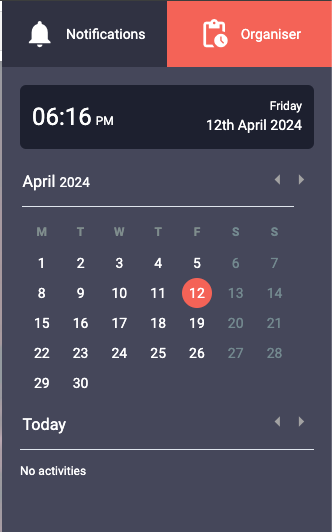
Organizer panel.
The Organizer is a versatile web application tool designed to help you stay organized and manage your daily activities efficiently. Located in the right sidebar, it provides you with an at-a-glance view of the current time and date, a dynamic calendar, and a list of upcoming activities you've subscribed to.
At the top of the Organizer sidebar, you will find the current time and date displayed in a clear and easily readable format. This feature ensures that you are always aware of the current time, allowing you to plan your activities accordingly and stay on track throughout the day.
The centerpiece of the Organizer is the interactive calendar. It displays the current month, allowing you to easily visualize your schedule. By clicking on specific dates within the calendar, you can view the activities you have subscribed to on those days. This feature enables you to stay on top of your commitments and plan your time accordingly.
To navigate through the date, you'll find an arrow button at the bottom of the calendar. Clicking this button will move the dates forward or backward by one, providing a seamless way to explore the upcoming day's activities. As you move through the date, the Organizer will automatically update the list below the calendar, showing you the activities you have subscribed to that date.
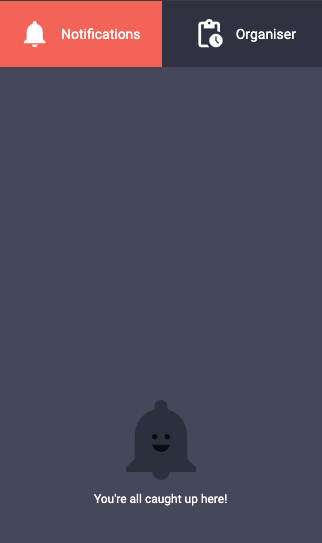
Notifications center.
The Organizer Notification Sidebar is a feature designed to keep you updated on the changes and updates related to the events you are part of. This feature, located on the left side of the Organizer interface, displays a list of notifications in a convenient and easily accessible manner.
Notifications appear in the sidebar when there are changes or updates to events you are involved in. These can include event rescheduling, cancellations, new event invitations, or any other relevant updates. Each notification is displayed with a summary of the event and the nature of the change.
To manage your notifications, you have several options available. You can mark all notifications as read with a single action. This is particularly useful when you want to clear your notification list after reviewing the updates. Additionally, you can delete all read notifications, which allows you to keep your sidebar clutter-free.
For more granular control, you can delete notifications one by one. This feature enables you to selectively remove notifications that you have reviewed or are no longer relevant to you. However, it's important to note that all actions, such as marking as read or deleting notifications, require confirmation before they are executed. This ensures that you don't accidentally remove important notifications.
The Organizer Notification Sidebar offers a streamlined and efficient way to stay informed about the changes in the events you are involved in. With its easy-to-use interface and versatile management options, you can keep track of your notifications effectively and ensure you never miss any important updates.
